

Posted by Luke Bermingham on 18 November 2026
Tags: Unreal Engine, VR, XR, Game Development
A little background
Our client for this project was DBM Vircon, a company known for construction modelling, digital engineering, and steel detailing. That last one, steel detailing, was the one we were about to learn a whole lot more about. For those who don’t know (probably most of our usual readers), steel detailing is concerned with making detailed plans, schematics, and diagrams for how a whole bunch of steel beams, bolts, and plates should be manufactured and assembled into a steel structure. Prior to this project, TensorWorks knew approximately zero about the world of steel detailing. Which was a good fit, because our client had approximately zero experience making VR games.
The client arrived with a tight timeline, a mostly blank canvas, and a vision. Their vision was to reimagine an early prototype of their still-in-development, CAD-inspired, cloud-based steel detailing application Connection AI as a VR game. They wanted a VR version that would make steel detailing fun, innovative, and engaging for newcomers and grizzled detailers alike. A tall order, to be sure, but to top it off they wanted a playable demo for NASCC 2026, North America’s big steel conference, and they needed it all done in just 12 weeks. Yikes!
At this point we were doubting whether we could get it done in time, but they did promise us full freedom of implementation and that was very enticing. After years of working on brownfield projects, this lush new greenfield was looking just too good to turn down and our team was raring to work on something creative. From their side they needed a guide and a team who could actually deliver on such a tight timeline, and after some initial tests, we reckoned we could maybe pull this off. The other thing they needed was a partner who would genuinely let them steer the project creatively, because they knew their industry, and they knew what the final experience should feel like, and importantly, what their industry would balk at… and to be frank we didn’t. Ultimately this meant we were happy to let them have final say on the creative choices, with us acting more as the implementers and iterators, expertly narrowing the search space towards a good game by only showing them options we knew would work in the context of a VR game and the 12-week timeline.
A vision and some movies
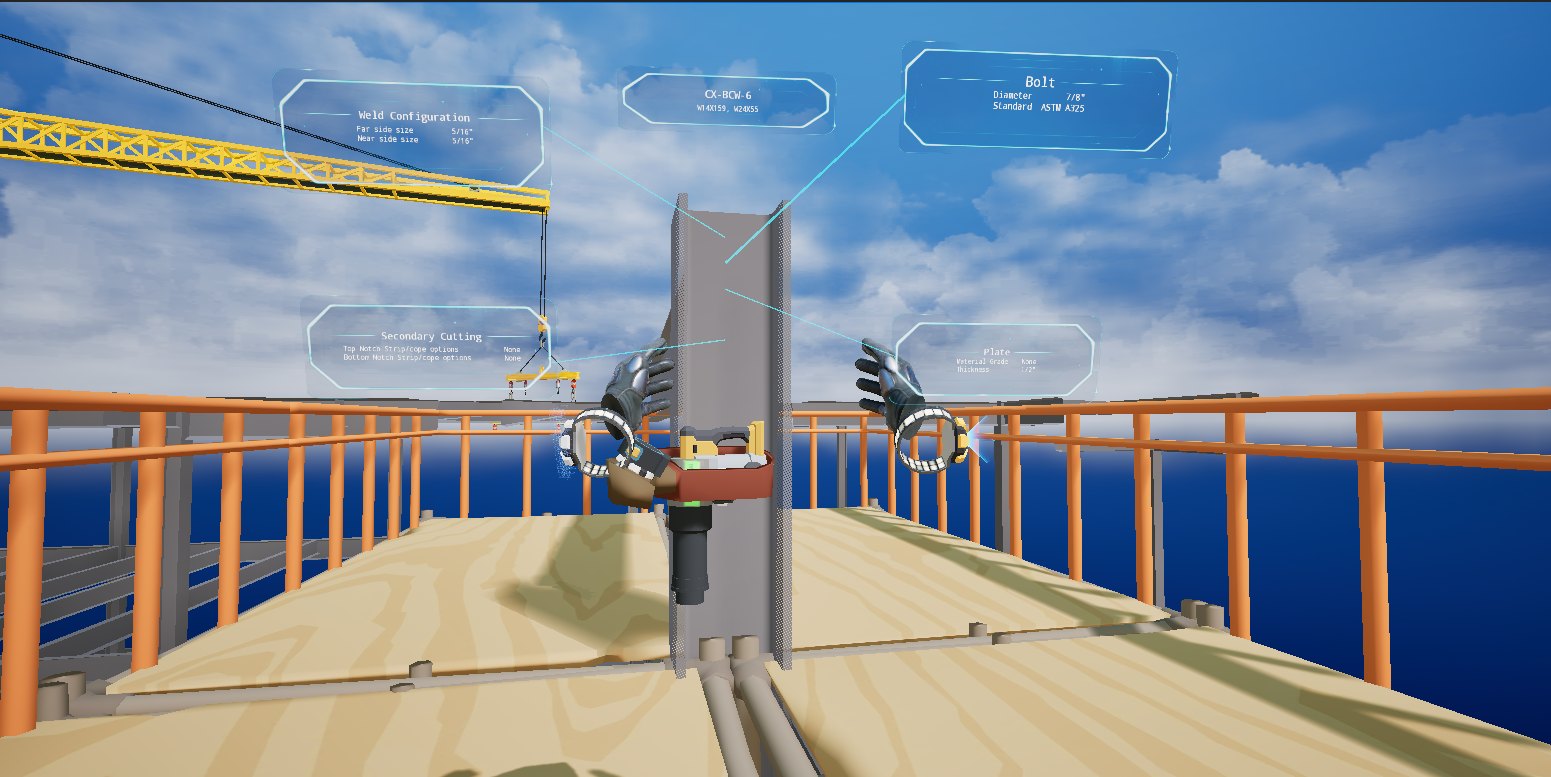
The client may have come with a vision, but boy, were we out of our comfort zone trying to grasp the intricacies of steel detailing. They were telling us so much that we were left wondering, “what matters here?”, or more importantly, “what doesn’t matter for the conference demo experience?” So nearly straight away one of the first big problems we ran into was how to communicate with each other. On our side we kept making references to games they hadn’t played; on their side they kept making references to steel detailing concepts that were way over our heads. We did our best to ramp up on steel detailing, but what actually made all the difference was when we started using movie references as our shared design language. Once that happened we were able to get on the same page much more quickly. For example, when someone said something like, “the UI should feel like Minority Report”, we instantly knew the direction to go in. It was super helpful, and all the way through development, from concepting through to polish, both sides were dropping movie references.
One flowchart to rule them all
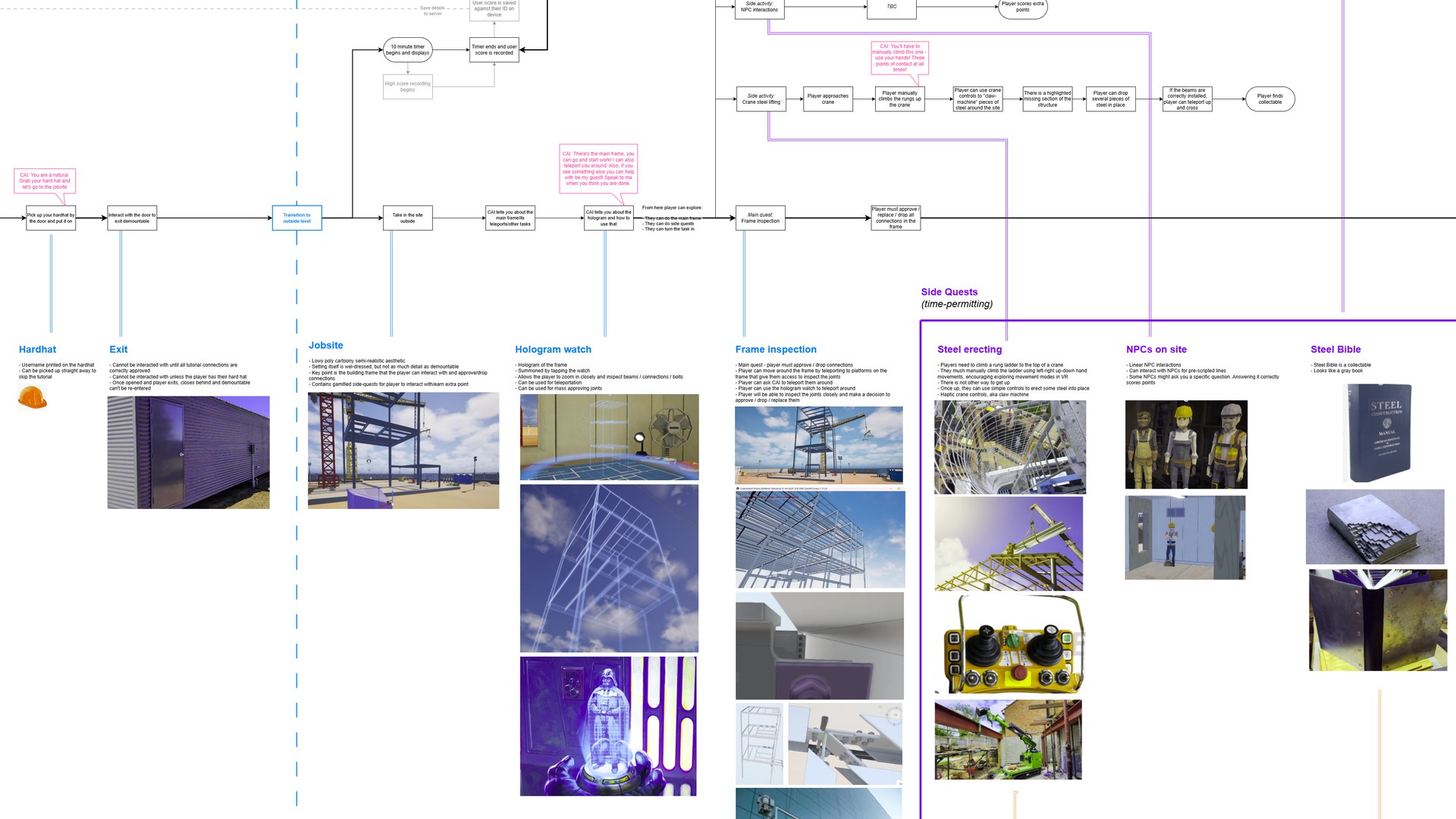
The other thing that kept both teams on the same page was a giant shared flowchart. It started out as a simple map of the player’s path through the game, from putting the headset on through to submitting your final score, and both teams kept editing it for the entire project. Pretty quickly it became the home for everything else too: story beats, side quests, tech notes, and a mood board for every part of the game.
The mood boards are where all those movie references ended up living. If you zoom in on the plan for the hologram watch, sitting right there next to our early hologram tests is Darth Vader. Anyone on either team could open the flowchart, find the part of the game they cared about, and see exactly what we were aiming for. For a client who had never been part of making a game before, having the whole thing laid out on one page that they could edit themselves made the process a lot less of a black box.
The weekly video
With only 12 weeks to work with, the thing we were most worried about was spending any of them building the wrong thing. There were six of us on the project and about the same number on the client’s side, a mix of subject matter experts, project managers and C-suite who all (rightly) wanted a say. Any feedback that turned up a week late was a week we couldn’t afford to lose. So we ran the whole project in weekly sprints, and made it our mission to put something new in front of the client at every sprint meeting.
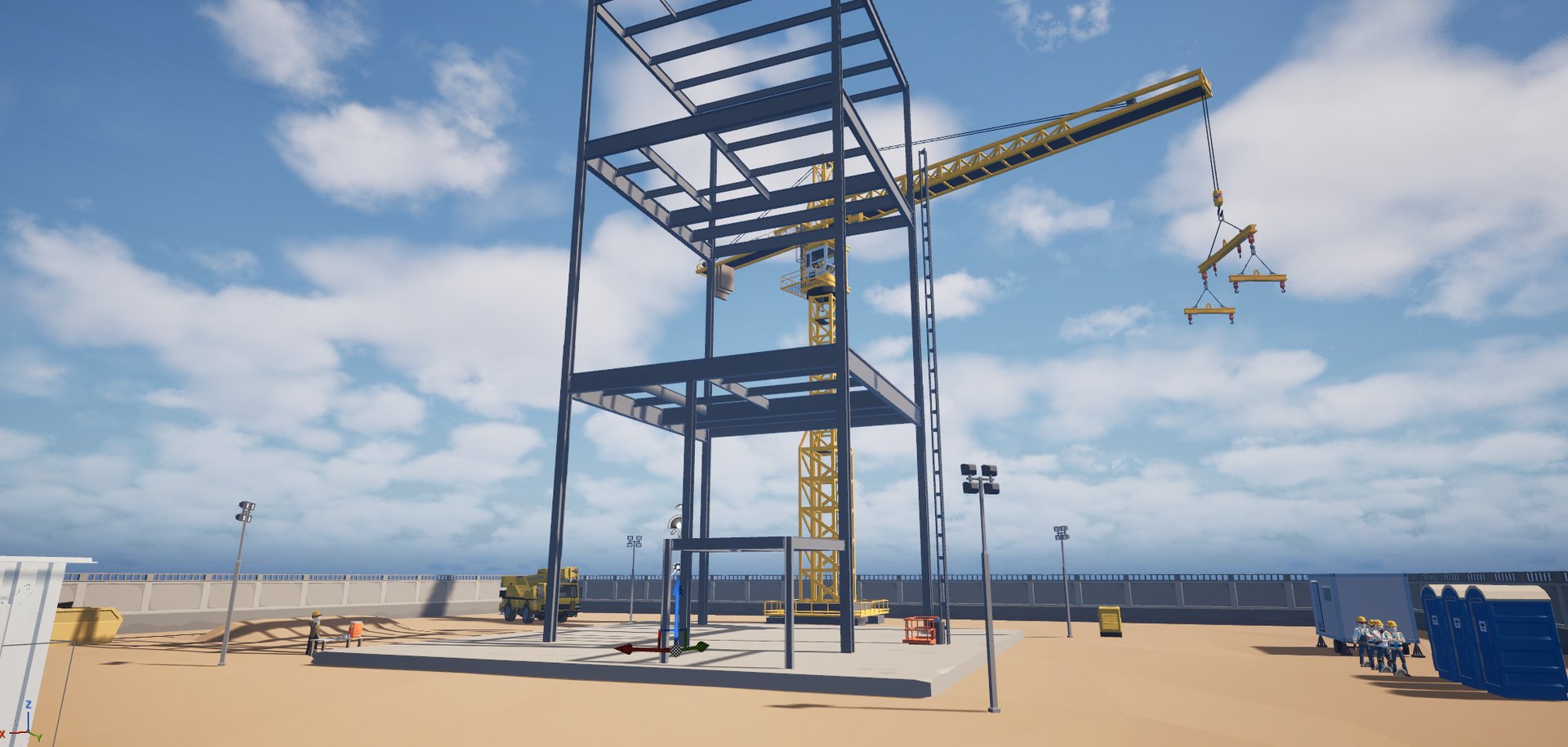
That started with a playable build. Every. Single. Week. It didn’t matter how rough it was (the first one was little more than a steel frame, a crane and a lot of sand), the client could put on a headset and feel where the game was at. It was also a great way for the client’s team, who were brand new to VR, to get a sense of what it’s good at, and what it isn’t.
But the thing that saved us the most pain was the weekly video. Every week one of our developers would record themselves playing the latest build, talking over the top about what they were doing and exactly what we wanted feedback on. It sounds almost too simple, but it meant nobody on the client’s side had to install a build, charge a headset, or remember which button does what just to tell us what they thought. They could watch it, have a think, and get back to us in time for the next sprint.
Those videos caught a heap of things early that would have really hurt later:
- The steel was the wrong colour, and didn’t look real to people who look at steel all day.
- Our hard hats were yellow. People in our players’ line of work wear white ones.
- CAI’s voice wasn’t right, and some of the terminology in the dialogue was just plain wrong.
- A few of our visual metaphors were way too complicated.
- The construction site didn’t feel enough like a real one.
- The review tool looked too much like a gun (more on that later).
Every one of those is an easy fix when you hear about it in week four, but hearing about them in week twelve would have been a disaster.
Casting call for CAI
Since most of our players would be putting on a VR headset for the first time, we knew early on that the game needed a guide, someone to show them the ropes and keep them company. That someone became CAI, a digital assistant who talks you through the whole experience.
To be fair to the client, they knew what they wanted here from the very first conversation. “CAI should be a ball of energy, like a supernova caught mid-explosion.” Nothing industrial and nothing grungy; they wanted new, futuristic and a little bit friendly. Our job was to turn that into a few options we knew would work in VR, so we mocked up a range of characters, from glowing orbs and a crystal of light through to clouds of particles and a couple of chunky yellow site robots, and put them all into that week’s video for the client to pick from.
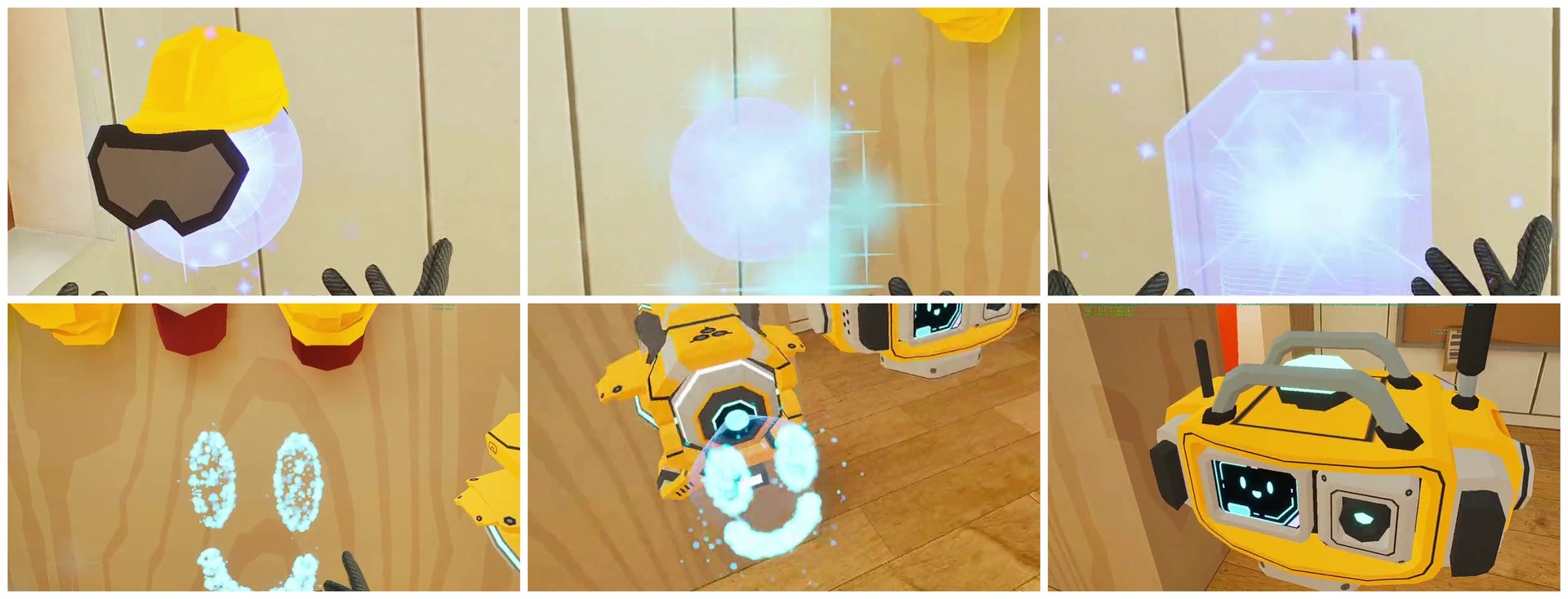
Here is the actual video we sent them that week:
The “particle CAI” won, which in hindsight surprised nobody.
We did have a crack at giving CAI a tiny hard hat and safety goggles, but the client was adamant that it tipped things too far into silly and cartoonish. CAI was supposed to be cool, like a super helpful being from the future, and apparently helpful beings from the future don’t wear PPE.
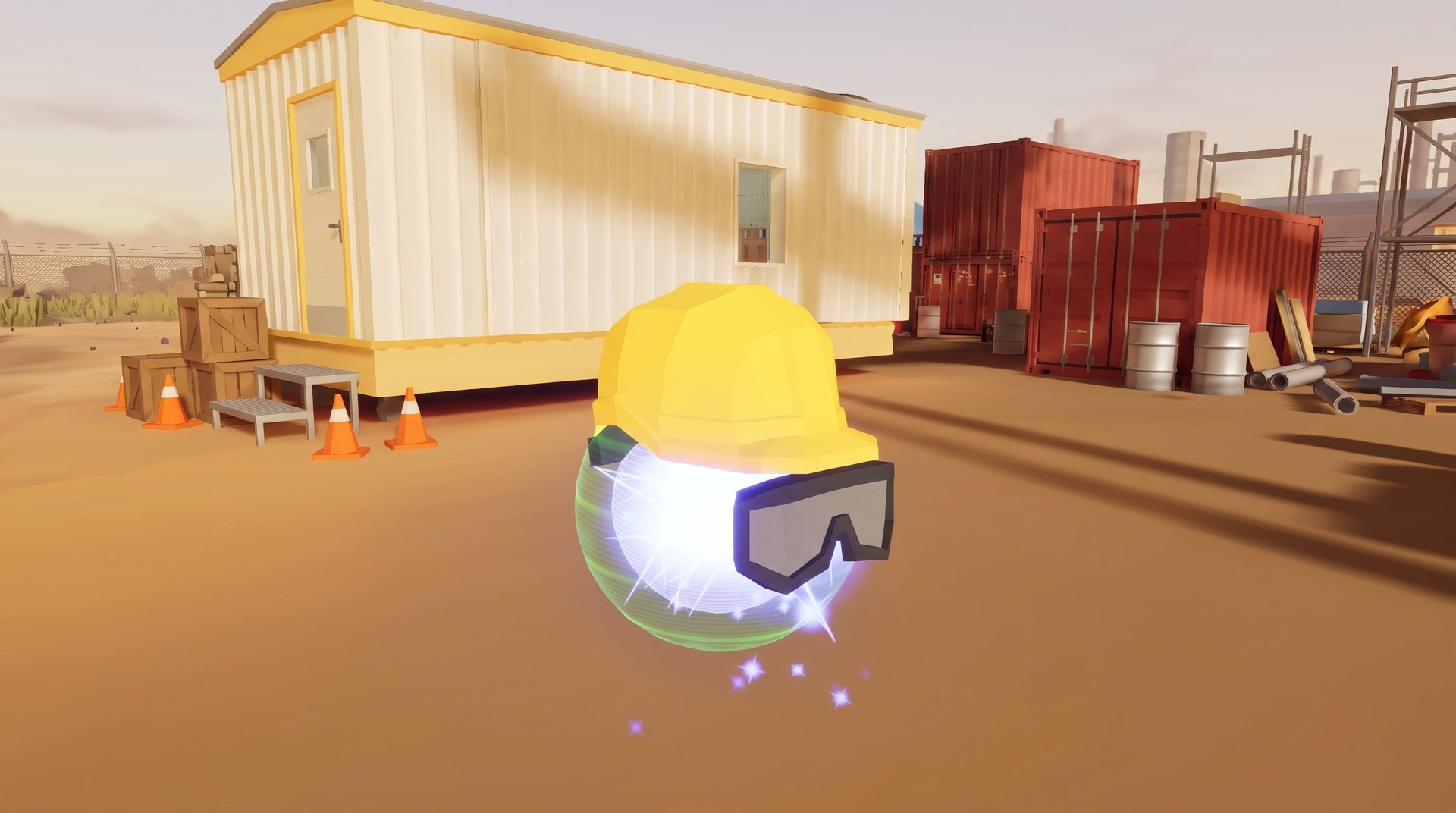
Going with particles did hand us a fun design problem though. A ball of light doesn’t have a face, so how do you know when it’s the one talking? And how do you follow it when it zips off across a construction site? We ended up making the particles thrum in time with CAI’s voice, and gave it a ribbon trail so you can always see where it’s been and where it wants you to go.
Additionally, because CAI is made of particles, it can turn into pretty much anything, so when it wants to show you something it will happily rearrange itself into an arrow and point at things.
Then there was the matter of CAI’s actual voice. Normally you’d lock the script and book a voice actor, but we had a deadline with no slack in it and a client who (quite reasonably) wanted to keep tweaking lines right up to the finish line. Recording it all the traditional way probably wouldn’t have been possible. So one of our developers built a little pipeline instead. All of the dialogue lives in plain text files, and a Python script chops it up into lines, sends them off to a text-to-speech service, and pulls the finished audio and subtitles straight back into Unreal. Changing a line became as easy as editing a text file and running the script, and by the end of both games we had hundreds of voiced lines that the client had been able to keep polishing until the very last minute.
Not every line made it, mind you. CAI has a sense of humour, and in one draft of the script it revealed that it used to be a worker on this very site, until an unfortunate run-in with a road roller saw its consciousness transferred into a new, glowier body. Unsurprisingly, that one didn’t survive the CMO’s copy pass.
Bootcamp in the site shed
Seasoned VR gamers take a lot of things for granted, like which trigger grabs and which one points. Our players weren’t VR gamers. Most people walking up to the booth at NASCC would never have worn a headset before, so before we let anyone loose on a steel structure, we needed somewhere safe for them to find their feet.
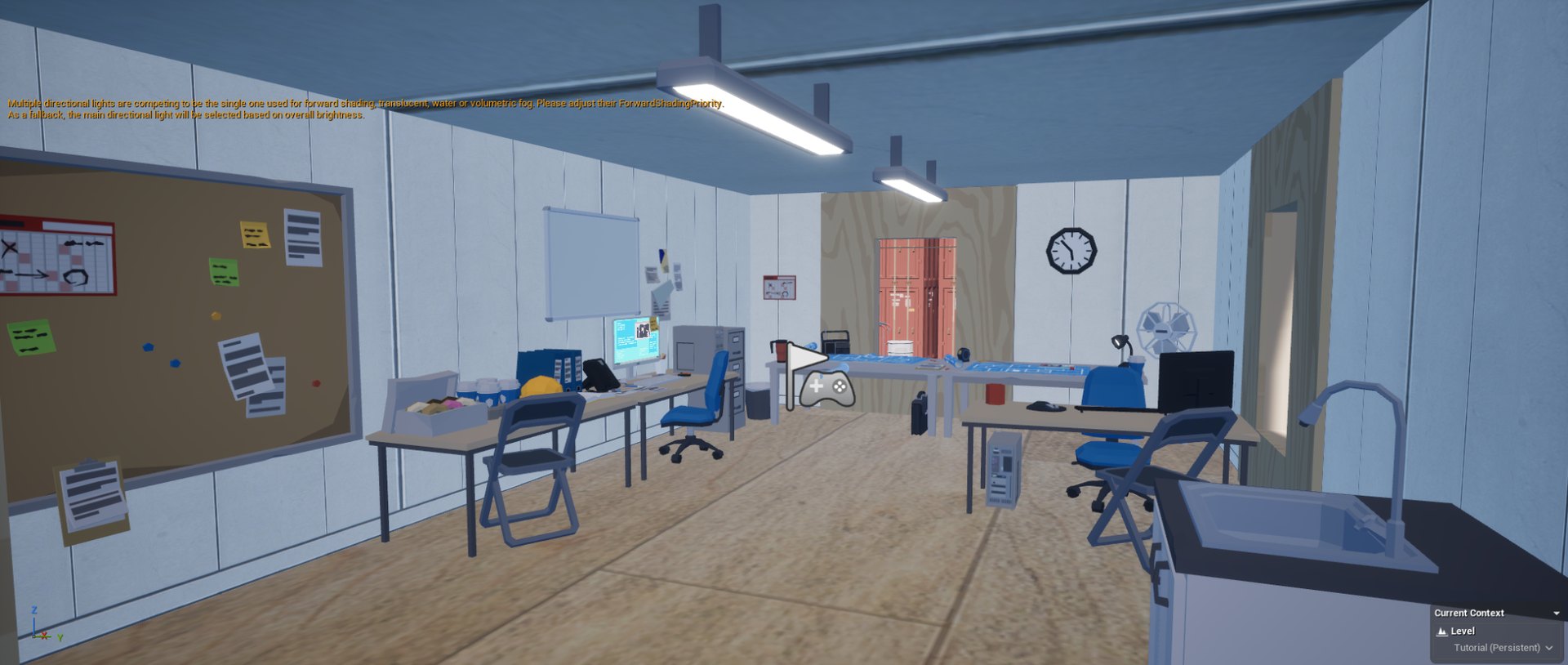
That place ended up being a demountable site office, the kind that anyone who has worked on a construction site has eaten lunch in. It’s small, it’s familiar, and it’s a fairly typical place for a site induction to begin. So it made perfect sense for CAI to greet you inside and teach you one thing at a time: looking around, moving, teleporting, picking things up, and then each of your tools in turn, starting with the measuring tape and working up to the tool you’ll use to review connections. We opted for no timers and no pressure. The tutorial only moves on once you’ve shown you’ve got the hang of each step by solving a small task CAI sets for you.
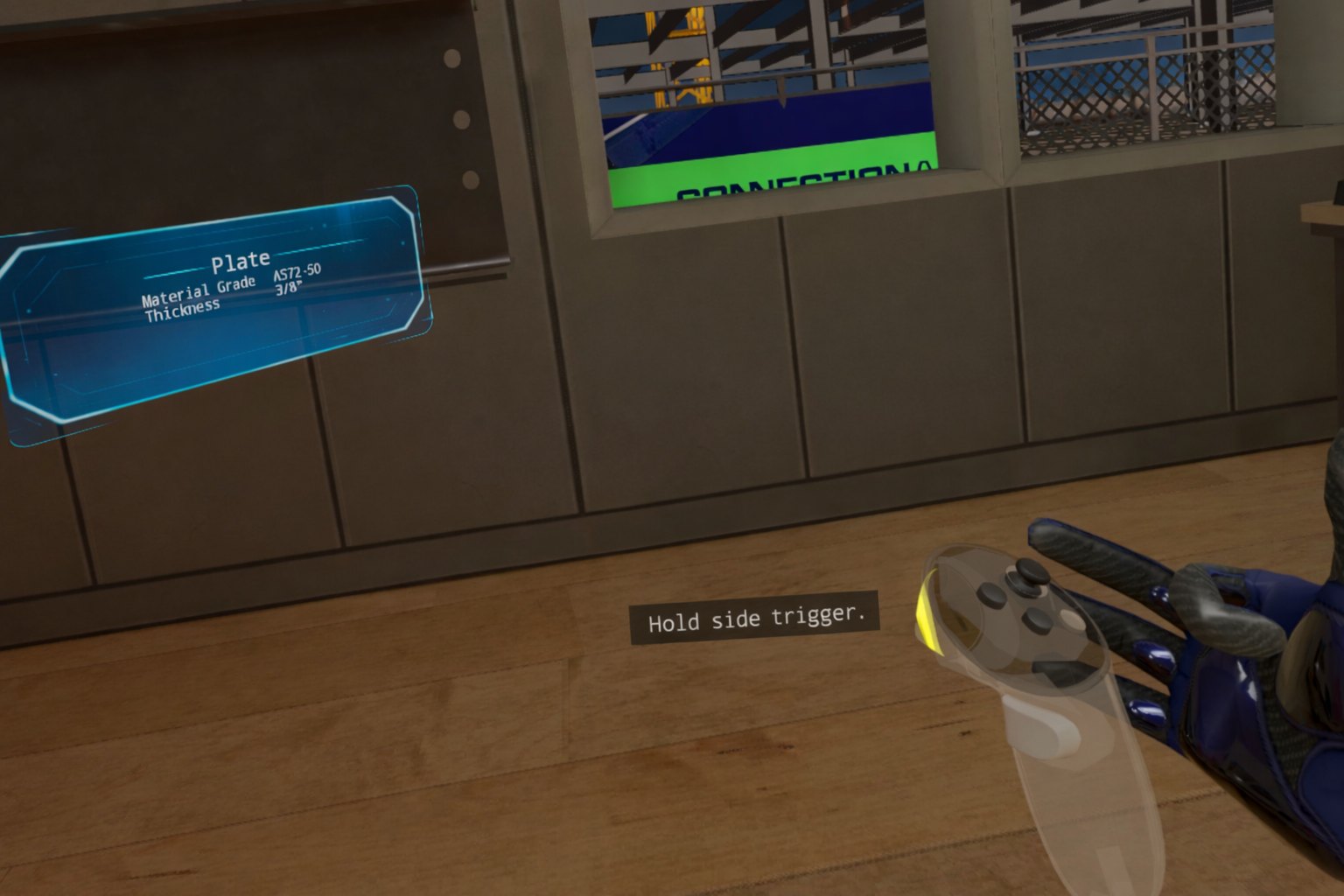
For how the tools themselves should feel, we took a lot of inspiration from Meta’s First Hand demo, which had already figured out a lot of the groundwork for using tools in VR. Our rule of thumb was that nobody should have to memorise buttons. If you want to use something, you point at it and click, and nearly any button or trigger will do. If you want to pick something up, you reach out and grab it like you would in real life. And for the few moments where a specific button does matter, a see-through controller shows up in your hand with the right one lit up.
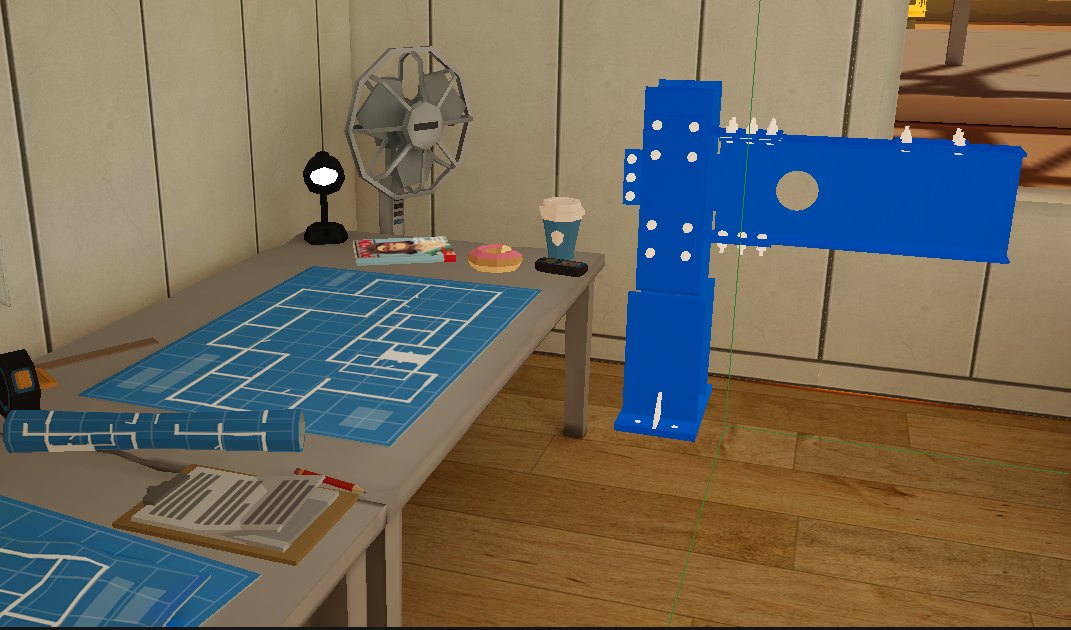
On the desk there’s even a version of the AISC steel sculpture, a real teaching aid the industry uses to show students different types of connections. It does the same job for us, and it’s where players get to review their very first connections before heading outside.
The hologram that started life as a rifle
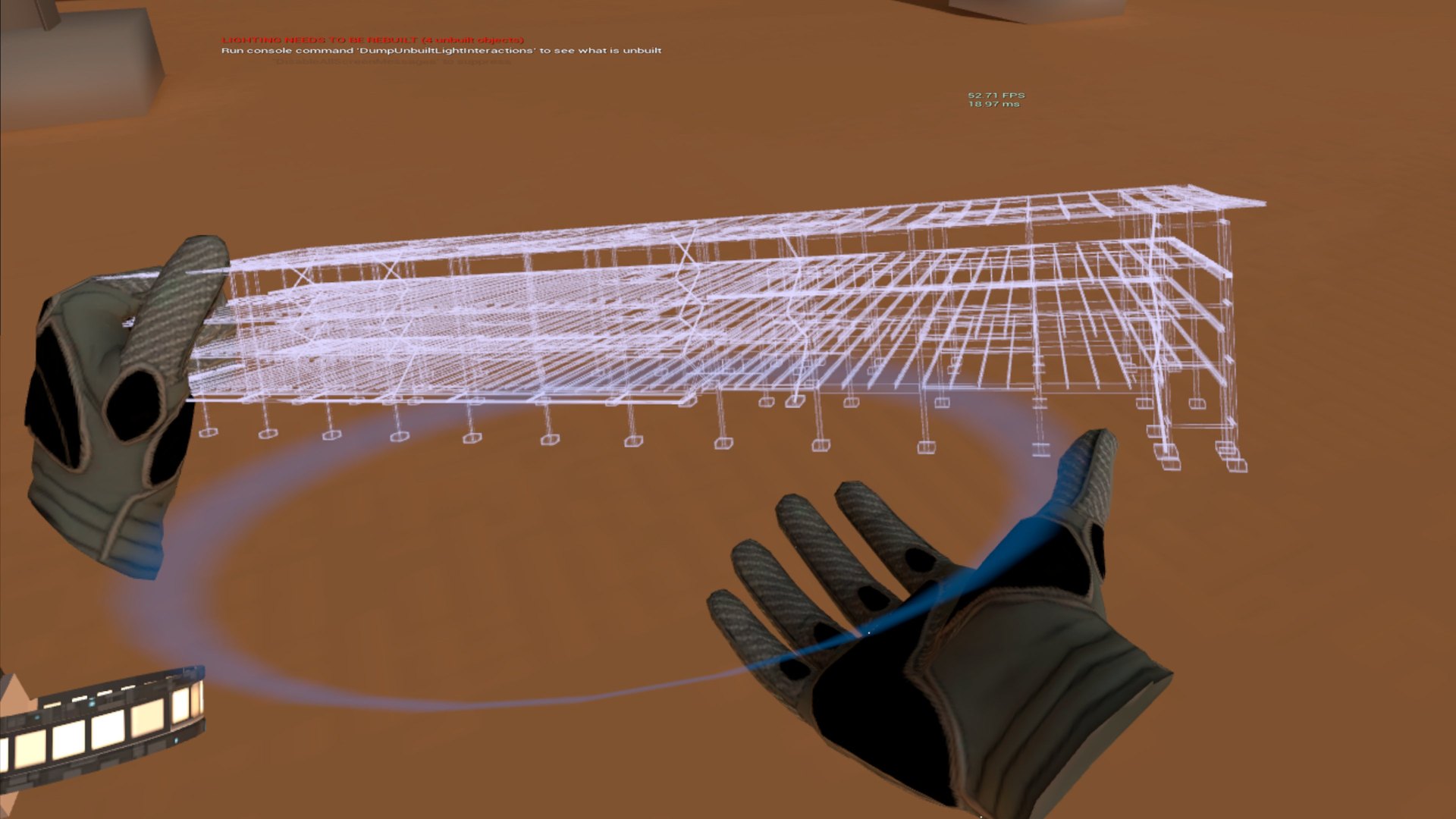
Once you step out onto the site, the next problem is the sheer size of the thing. The structure has hundreds of connections spread across several floors, and nobody at a conference booth has time to walk between them. This is where “the holograms should be like Star Wars” came in. We wanted players to be able to pull up a glowing miniature of the whole building, spin it around, and jump straight to any connection on it.
Funnily enough, our starting point was a quick hologram material we whipped up using one of the stock rifles in Unreal Engine. Not exactly “on brand” for a steel conference, but it was fine for a prototype.
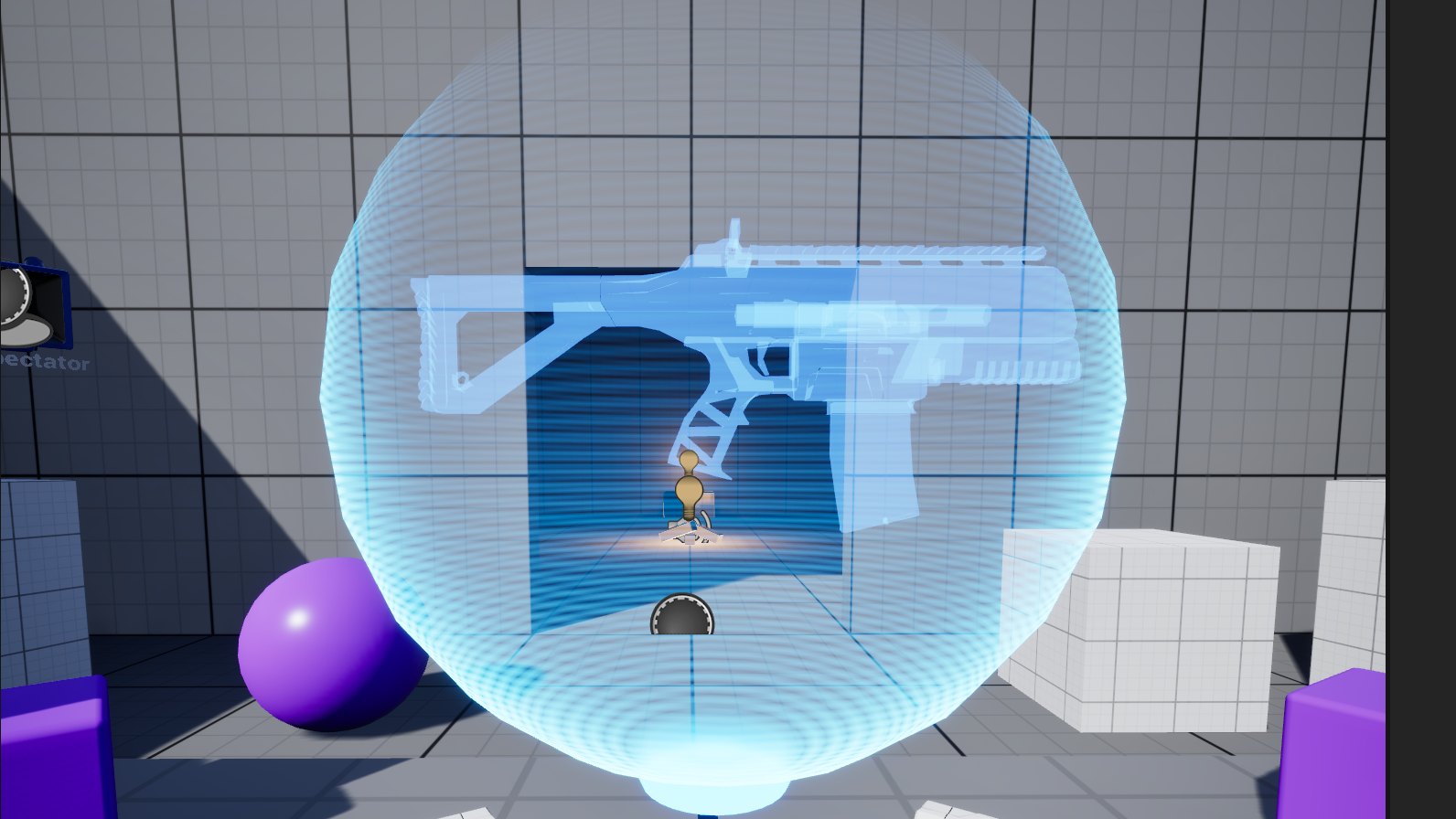
After some heavy modification it turned into one of our favourite parts of the game: the hologram watch. Tap the watch on your wrist and a miniature of the entire structure appears in front of you. You can grab it with both hands to scale and spin it, filter it down to a group of identical connections, then point at any connection in that group and teleport straight there.
Definitely not a gun
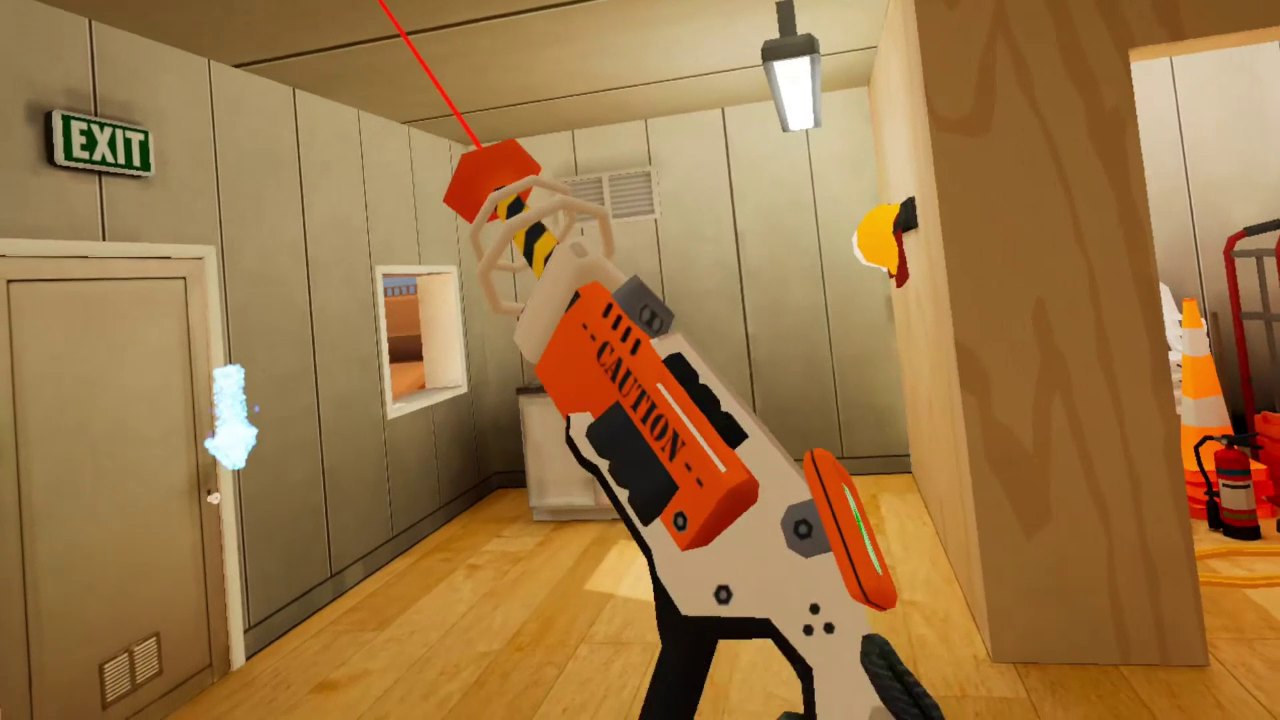
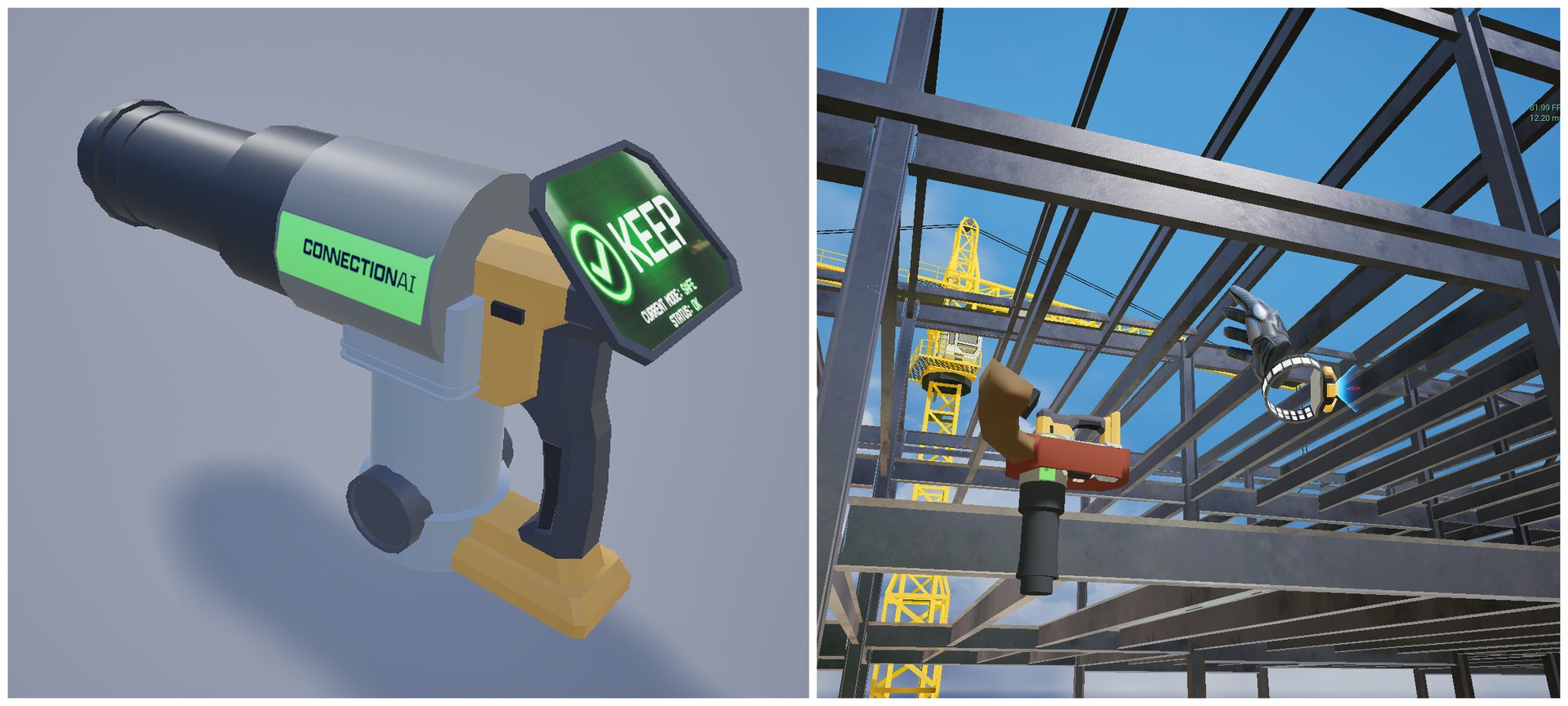
The main thing you do in the NASCC demo is look at a connection and decide whether to keep it or drop it. To do that you need something to point at the steel with, and in a video game the “thing you point at stuff and pull the trigger on” has a pretty obvious default shape. The client saw that one coming and gave us a firm rule: the review tool can’t look like a gun. This was a professional tool for a professional audience, and they didn’t want it coming across as too gamey.
Fair enough! Except our early attempts kept ending up a little bit gun-shaped anyway.
A couple of iterations in, the client replied to one of our weekly videos with some photos and a question: “could it look more like one of these?” It was a tension control bolt gun (or TC gun), a real tool used on site for tightening structural bolts. None of us even knew such a thing existed.
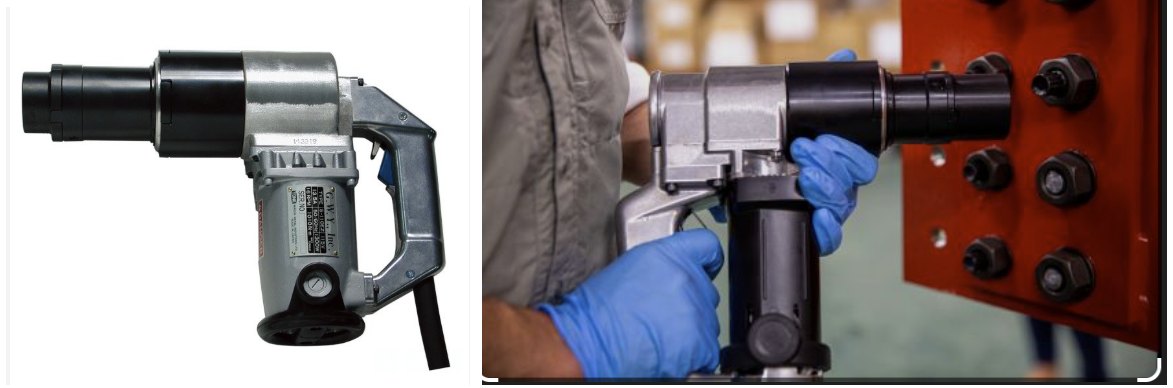
One of our developers modelled up a slightly futuristic version of it, and the client loved it as soon as they saw it. It made so much sense in hindsight. Of course the tool for reviewing bolted connections should look like the tool for bolting them; we just needed someone who actually works with steel to tell us it existed.
The data under the steel
All of that is the fun, visible stuff. Underneath it sits the part that had us most nervous going in, the steel structure itself. The structure in the game is built from a real Revit model, the same kind of file detailers work with every day. This Revit model was a lot more than a 3D shape, though; it had been enriched with a tonne of metadata from Connection AI. Every beam, plate and bolt had data attached, things like part numbers, steel grades, dimensions, weld sizes, and connection types. A detailer needs all of that in front of them to decide whether a connection is any good, which meant we had to get all of it into Unreal, and then onto a standalone Meta Quest headset.
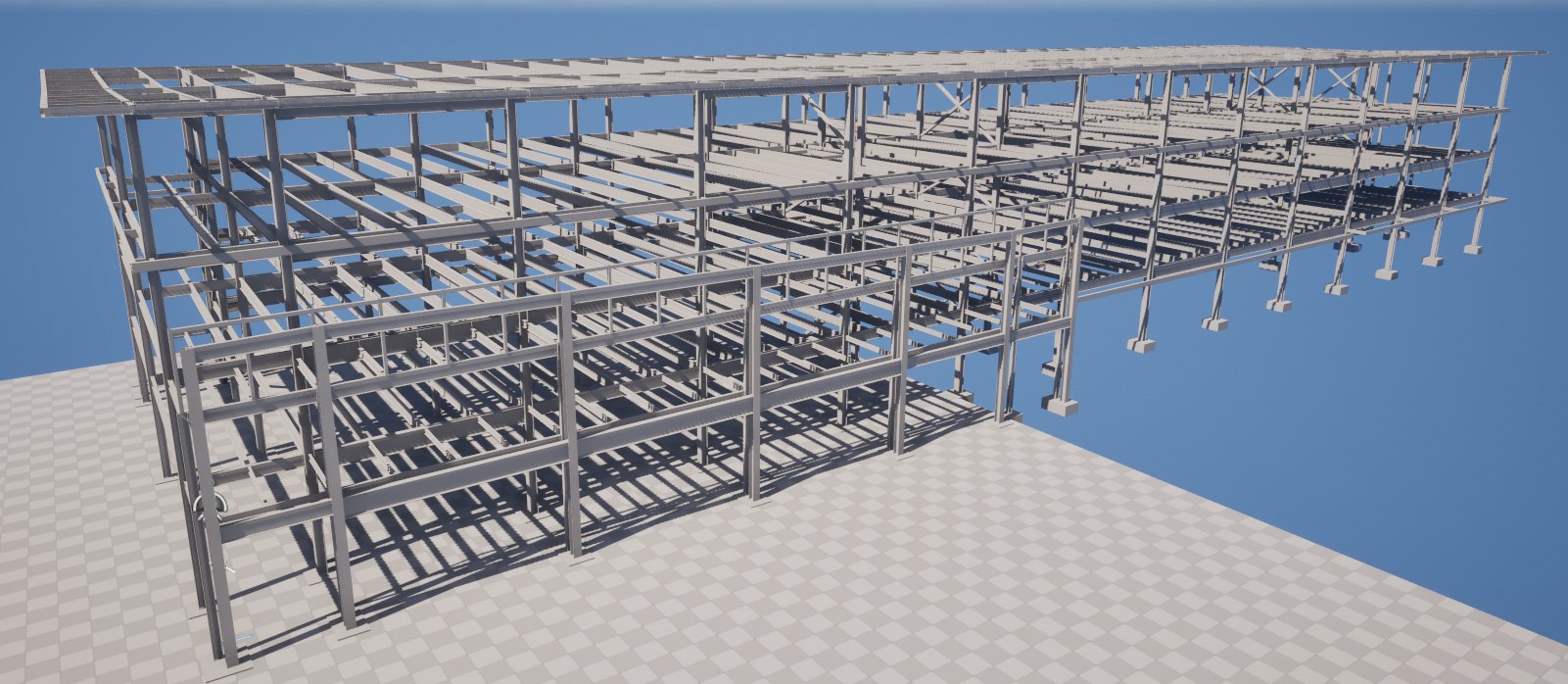
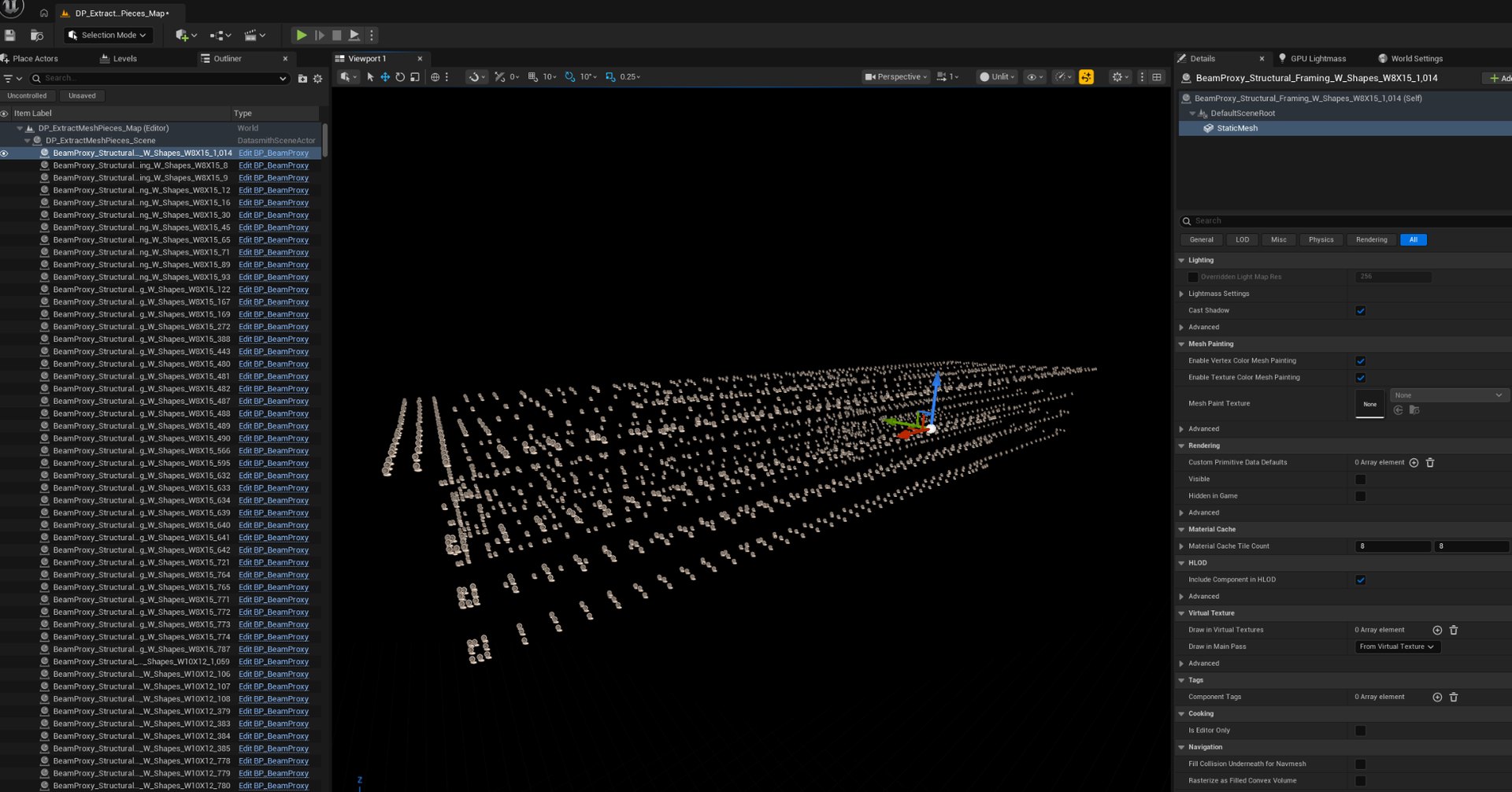
Our first instinct was to convert everything to IFC, which is an open format, and write our own tooling around it. Open format, full control, what could go wrong? Quite a bit, as it turned out. After sinking time into that approach we tried Unreal’s own Datasmith importer and found it could already reach all of the metadata we needed. Lesson learned: a 12-week project is not the time to roll your own parser. We built a custom Datasmith graph to pull the data out ahead of time, and from there we could stitch together a complete map of the building: every connection, the beams it joins, and which other connections are identical to it.
In the headset all the relevant data shows up as floating panels around whichever connection you’re looking at, which was our best shot at the “Minority Report” brief. And because there are around 700 connections to get through, identical ones are grouped together. You can keep or drop them one at a time, or deal with the whole group in one go, because in theory it’s the same connection used over and over throughout the structure.
The drawings are real too. The game renders actual PDF drawings inside the headset, and you can grab them, pan around and pinch to zoom with your hands. (Converting PDF coordinates into something Unreal understands was a little trickier than we expected.)
Squeezing it onto a headset
A standalone headset like the Quest runs on what is essentially a high-end phone chip, and we were asking it to draw a multi-storey steel frame with every bolt modelled. The first time we profiled the full structure in VR it was obvious it was going to eat most of our rendering budget (it did). What saved us is that steel is repetitive. The same beams and the same bolts show up over and over, so our pipeline reuses materials and draws identical parts as instances, which is far cheaper than treating every bolt as its own unique object.
It also made one decision for us straight away: no dynamic lighting. Everything on site is baked ahead of time using Unreal’s experimental GPU Lightmass, or more precisely a patched build of it from the forums, which gave us much nicer lighting and far fewer bugs than the official one.
The headset caused us one more headache. Partway through the project we noticed the whole team was slowing down. Every change, no matter how tiny, had to be compiled, packaged and pushed onto a Quest before you could see if it worked, and everyone was doing that several times a day. So one of the team quickly hacked in keyboard and mouse controls that let us simulate the VR experience right in the editor (with a few cheats, like pinch-to-zoom becoming a zoom button). It was a small thing that made a huge difference. The reaction from the devs was basically, “oh my God, how did we not have this from the start?”
A jobsite that passes the sniff test
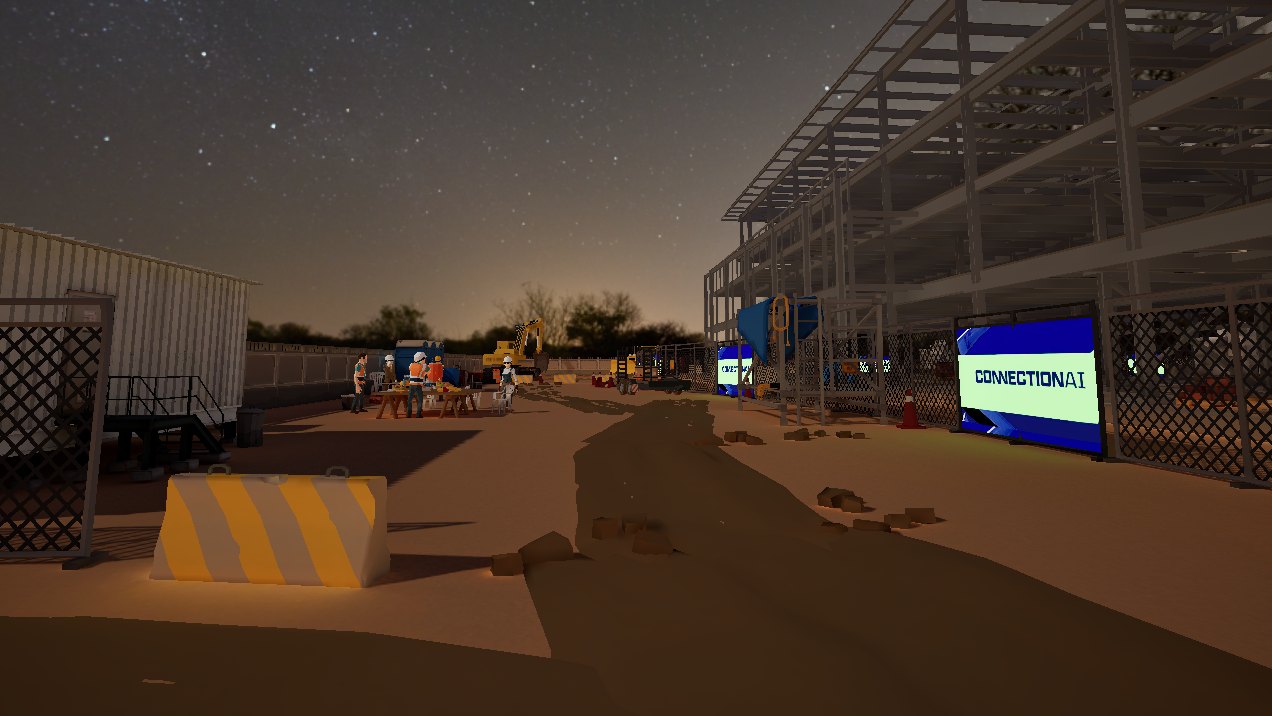
The other thing an audience of construction professionals will notice instantly is a construction site that doesn’t look legit. The client pulled us up on this nearly straight away after reviewing one of the weekly videos. So we researched how real sites are laid out, used AI to help sketch a plan with all the staples (material storage, a mobile crane, the site office, a break area, portaloos, a security checkpoint), and then built it up in Unreal the usual way, from grey boxes through to a fully dressed level.
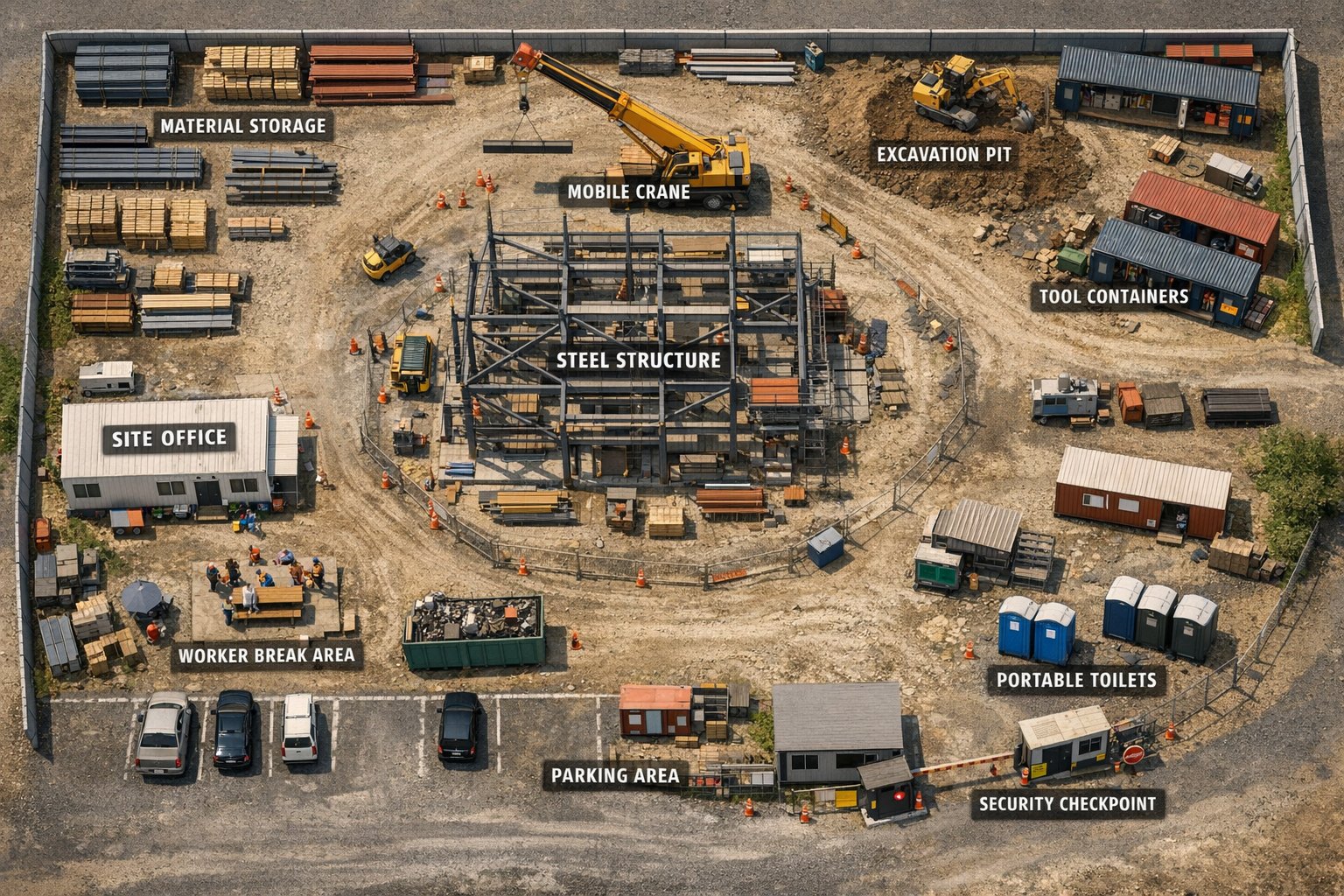
The steel structure sits right in the middle so there’s never any doubt about why you’re there, but we wanted the rest of the site to feel alive too. Engines rev, a pile driver thumps away in the background, and the crew are having a chat over in the break area. We also hid a bunch of collectibles around the place to reward the curious, each one worth bonus points on your final score. There are copies of the “Steel Bible” (the industry’s go-to reference book), rolls of toilet paper in the portaloos, Connection AI stickers stuck on all sorts of things, and our favourite one, a “present” tucked away inside a drainage pipe.
Showtime at NASCC
Before we knew it, it was time to put the game in front of real people. We’ve run a few gaming booths at conferences over the years, so we got pretty involved in planning the booth with the client, and to their credit they took a lot of our advice on board.
One thing we really wanted to avoid was a queue of people trying to type their name on a floating VR keyboard. So we built a small sign-up website for the booth. Attendees punched in their details and got a QR code, then held it up in front of the headset, which scanned it through its passthrough cameras, grabbed their name for the leaderboard, and dropped them into the game. For the client it doubled as a tidy way to capture leads.
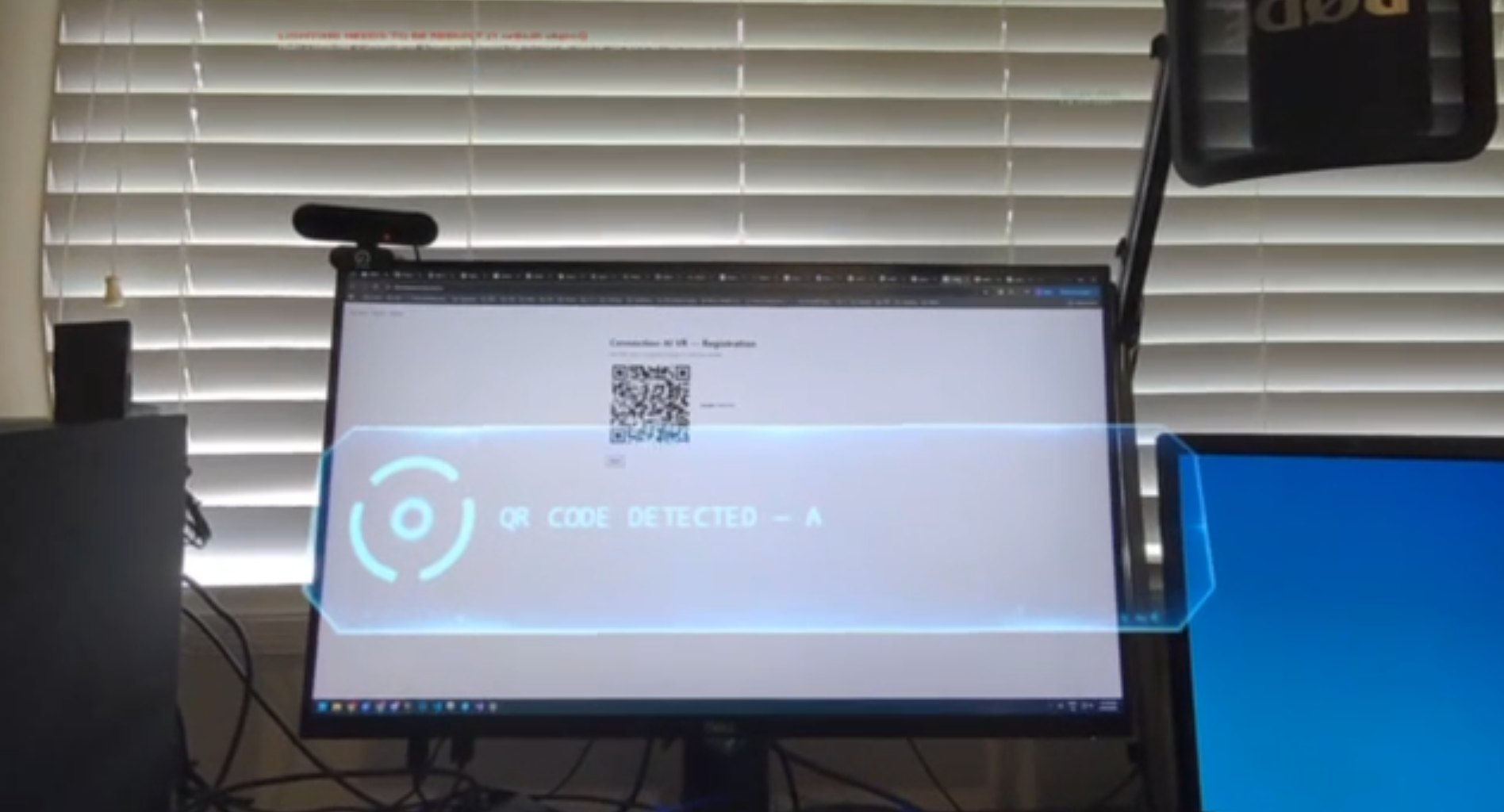
Getting that scan rock solid took a lot of iteration. For a while the game would intermittently refuse to boot on the headset at all, until we had carefully tuned exactly what the XR plugins were loading. We also learned that the scanner is a lot happier when a QR code has a nice white border around it, so we made sure every code generated on the floor had one. On the day, it worked flawlessly.
The booth itself had two VR stations, one standing and one seated. The client had told us early on that this crowd would be much more comfortable sitting down, so thankfully we had designed the game to work both ways. A TV beside the players streamed whatever they were seeing in the headset, so a crowd could gather round and watch. A second TV showed the live high score leaderboard, and that one turned out to be the real drawcard. The client used it all conference to pull people into the booth, and in the final hours it turned into a full-on campaign to dethrone whoever was sitting at the top.
The game was extremely well received. The booth was busy the whole time, every last prize was handed out, and it led directly to a part two.
Part two: five minutes, five and a half weeks
Off the back of NASCC, the client wanted a second game. This one needed to be much shorter, something they could take to trade shows and education events to show people (especially people who have never heard of steel detailing) what the job is about, and maybe get them thinking about it as a career. The whole thing had to be playable from start to finish in about five minutes. Oh, and we had five and a half weeks to make it.
The good news was we weren’t starting from zero this time. CAI, the construction site, the steel structure, all of our metadata work, a chunk of the UI and the voice pipeline all came along for the ride. The bad news was that a five-minute teaching game needed completely different gameplay, so everything else (the mechanics, the script, the tutorial) was built from scratch.
Where the first game has you roaming a structure making keep or drop calls, the second is essentially a “spot the difference” game. After a short induction video on what steel detailing is, CAI puts a simplified connection drawing next to a real connection between two beams and walks you through finding where they don’t match. Then you fix it, right there on the steel, changing the bolts, the plate and the welds until the connection matches the drawing. The fewer mistakes you make, the more stars you earn.
With only five and a half weeks on the clock, we didn’t have time to build the induction video by hand either. To speed things up, we storyboarded it shot by shot, generated each of those shots with AI, and then stitched them all together into one sequence.
What we like most about this one is how direct it is. Normally a newcomer to steel detailing is looking at a 2D drawing and trying to imagine that it will become a building one day. Here the thing you’re changing is right in front of you, full size, and you can see exactly what your decision does to a real structure. Closing that gap between the drawing and the building was one of the big things the client wanted out of this whole project.
It did cost us one of our favourite features though. We had fully planned on bringing the hologram navigation over from the first game, because we thought it was just super cool. But with only five minutes of total play time there simply wasn’t room to teach anyone how to use it. So out it went, and now the player gets warped straight onto the structure while the world fades in around them. A bit sad, but the right call for a five-minute game.
See it for yourself
We could keep going with screenshots, but honestly, nothing gives you a better feel for a game than watching someone actually play it. So here’s the whole thing, start to finish, with narration along the way: the induction video, CAI showing you the ropes, and the three faulty connections you have to fix.
Two games, one very proud team
Looking back, we’re genuinely proud of how this one came together. Not just the games themselves, but how we got there. We walked into an industry we knew nothing about, with a client who had never made a game, and two deadlines that left almost no room for error. Along the way we juggled a dozen or so people across two teams, a passionate client, a script that went through many revisions, a seriously beefy BIM model with tonnes of metadata, a pretty hardware-constrained target platform, and a game that had to be fun, educational, realistic, always hit frame rate, and definitely not induce any motion sickness.
Weekly sprints, builds, and videos kept all of those moving pieces pointed in the same direction, and kept the client’s expectations and ours on the same page the whole way through. At the end of it we delivered not one, but two games, both on time and to spec. The client loved them, and more importantly, so did their players.
We’ll let DBM Vircon’s CTO have the last word.
“Working with TensorWorks is seriously mind-blowing. From their creative bravery to their ability to truly listen, learn and respond with value every sprint, we are getting far more from the engagement than what is defined in the Scope of Works. Big thanks to Luke and the entire team for taking us on this journey, and we look forward to continuing to work together on this exciting project.”
Sara Cecchi
CTO, DBM Vircon